
Dream Builder
Speak a word, watch it become real in 3D.
A voice-to-3D spatial playground powered by the same engine that powers Sculptor (sculpt-engine). Say get cup, get sword, get lamp or anything you imagine, then grab, toss, light, recolor and export it in your space.
Free on Google Play for Android XRApp Store coming soon
- Status
- Live on Android XR (Google Play); App Store coming soon
- Version
- 1.0
- Price
- Free
- Works on
- Android XR (live), Apple Vision Pro, iPhone, iPad, Web (coming soon)
Why you'll like it
Say anything, sculpt on-device
Voice and text commands build manifold 3D objects right on your device using curated recipes and the Rust
sculpt-engineSDF core, with Apple Intelligence support when available.Tactile spatial physics
Grab, scale with two hands or touch, and toss objects onto real tables and floors. Wood knocks, metal clangs, rubber bounces and balloons float.
Shared Rust core & open exports
Runs the same high-speed Rust engine as Sculptor with bidirectional
.sculptinterop, plus Quick Look.usdz,.glb,.stl,.objand.dsplatGaussian Splat exports.
From a spoken word to an object in your room
Dream Builder turns voice or typed commands into physical 3D objects you can hold, modify and place around you.
-
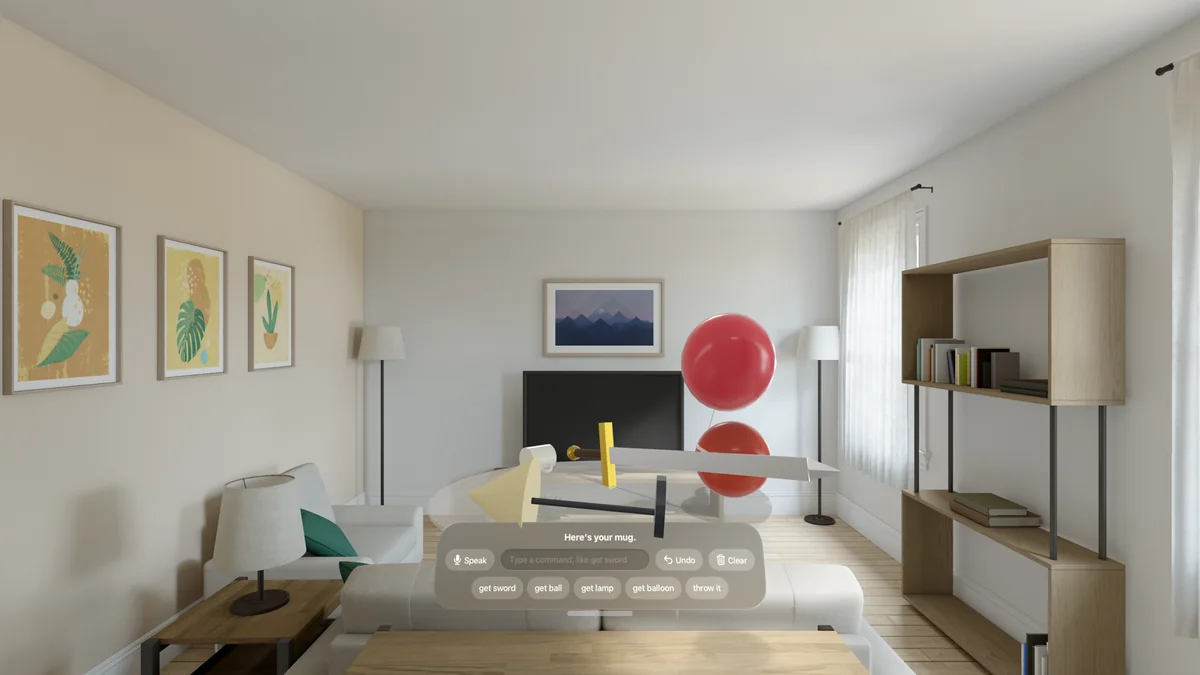
01Voice & text
Say what you want and watch it appear in 3D
Speak or type commands like get mug, get sword, get lamp or get balloon. On-device speech recognition and the Rust sculpt-engine build manifold 3D objects right in front of you, ready to grab or toss.
- On-device voice recognition plus typed command bar
- 60+ curated library objects plus procedural SDF sculpting
- Quick-action chips for silent testing anywhere
-
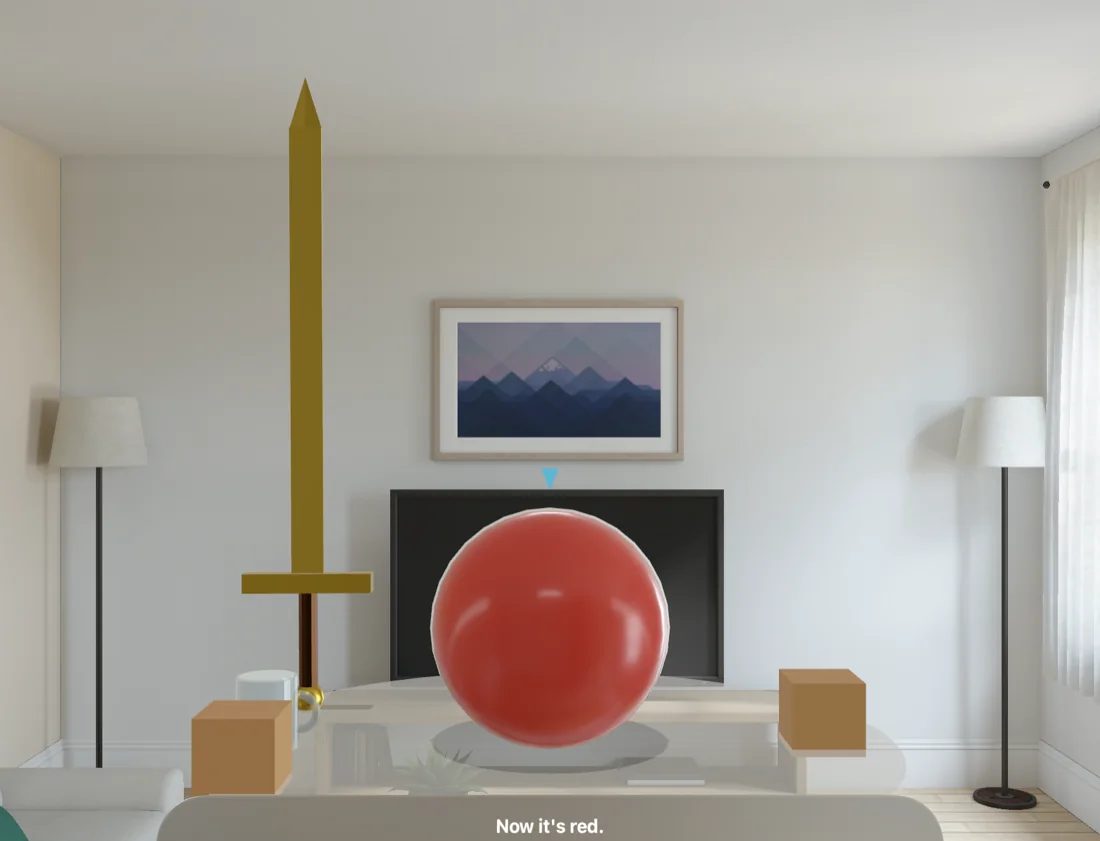
02Live modifiers
Recolor, resize and restyle with natural commands
Say make it red, make it metal, make it bigger or try another, or tap the object inspector directly. Materials update real physical mass, bounce and sound as well as surface finish.
- 40+ calibrated real-world materials from wood to titanium
- Instant variations with try another
- 50-step snapshot undo and redo
-
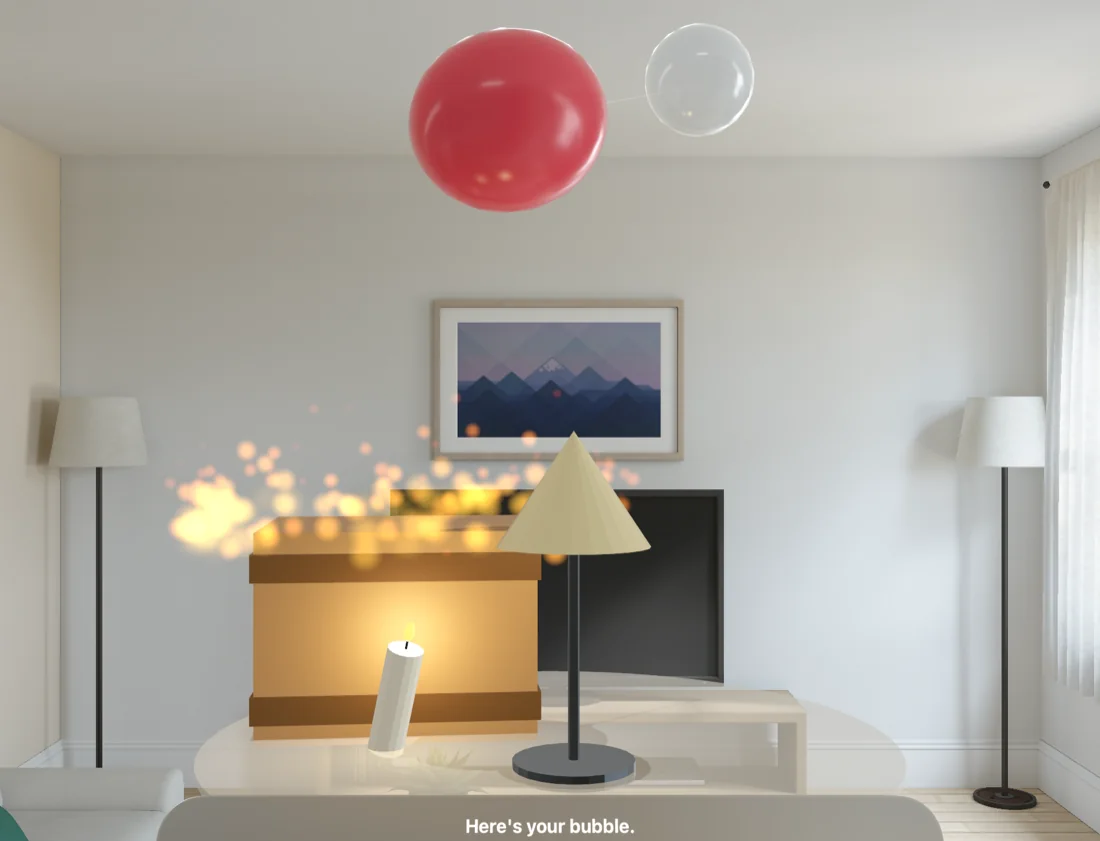
03Physics & effects
Light lamps, spark flames and float balloons
Every object obeys tactile spatial physics. Balloons and bubbles drift upward, wooden crates ignite when you say set it on fire, and lamps cast real-time light across nearby surfaces.
- Two-hand grab, rotate, scale and velocity-preserving throws
- Real-time lighting, buoyancy and particle effects
- Spatial audio matched to each material
-
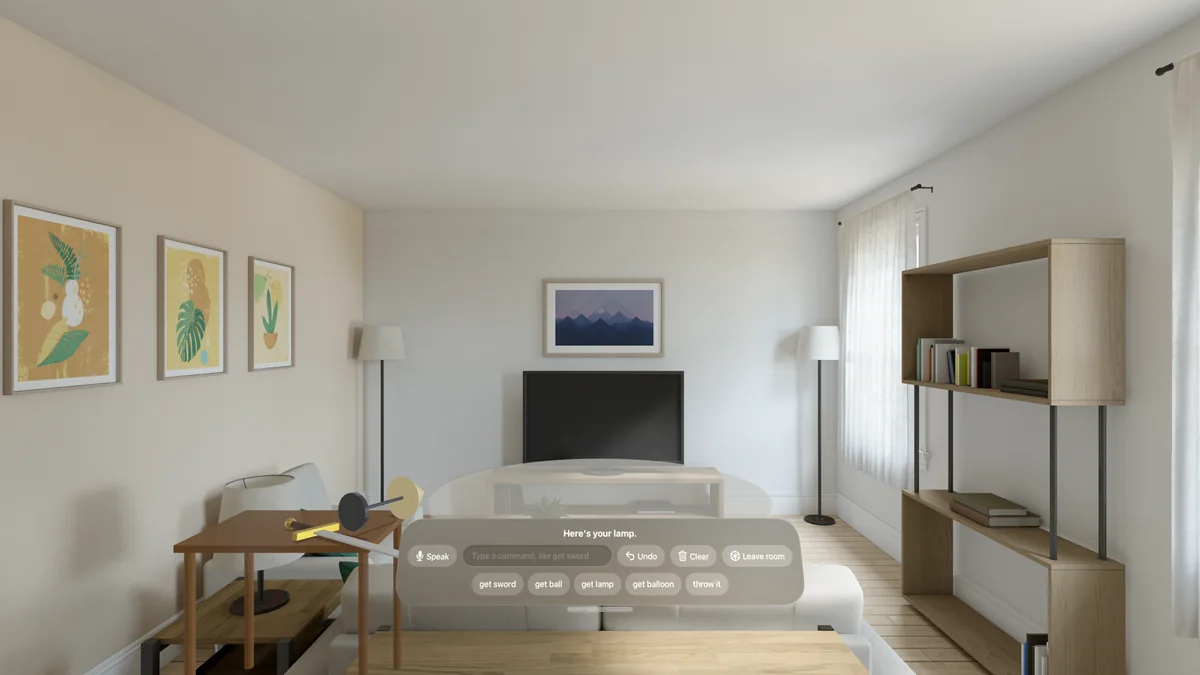
04Room Mode
Drop objects onto real tables and floors
Step out of the Shared Space volume into Full Space Room Mode on Apple Vision Pro, or run the guided 3D room scan in AR on iPhone and iPad so objects land and bounce on real surfaces.
- Full Space Room Mode on Apple Vision Pro
- Guided AR surface scanning and bare-hand interaction on iOS
- Export scenes as .sculpt, USDZ, GLB, STL or OBJ
How it works
Speak or type an idea
Tap Speak or type any object you want to see. Dream Builder builds it on your device using curated recipes and the Rust sculpt-engine.
Play and reshape it live
Grab, scale, toss and restyle objects with natural voice modifiers or one-tap controls, with full undo at every step.
Place it or export it
Set objects on real tables in Room Mode or AR, open them in Sculptor as .sculpt projects, or export USDZ, GLB, STL and OBJ.
Get Dream Builder
Voice-to-3D spatial playground built on the Rust sculpt-engine, with tactile physics and open 3D exports.
Free on Google Play for Android XR. App Store coming soon.
The details
What's inside, where it runs, and how your data stays on your device.
Features
- Voice and text to 3D with on-device speech recognition and a universal multi-tier object cascade
- 60+ curated interactive library objects plus procedural Rust SDF sculpting and composable 3D parts
- Live voice and tap modifiers for color, material (40+ real-world finishes), scale, lighting and flames
- Shared Space volume and Full Space Room Mode on Apple Vision Pro
- Guided 3D room scan, bare-hand touch physics and AR tabletop mode on iPhone and iPad
- Soft radial Gaussian Splat rendering and compact
.dsplatv2 support - Bidirectional
.sculptinterop with Sculptor, plus USDZ, GLB, STL, OBJ and PNG export - 50-step snapshot undo/redo, VoiceOver labels and Reduced Motion support
Works on
- Android XR
- Apple Vision Pro
- iPhone
- iPad
- Web
Live now on Google Play for Android XR. Apple Vision Pro, iPhone, iPad and Web versions are coming soon.
Privacy
No account, no ads, no analytics and no tracking. Microphone audio, speech recognition, AR room mapping, hand tracking and 3D mesh generation run on your device. Read the full Dream Builder privacy policy.
Questions
Curious about Dream Builder or want to follow launch news? Send Daniel a note. Every message gets read.
Where can I download Dream Builder?
Dream Builder 1.0 is live and free on Google Play for Android XR. Apple Vision Pro, iPhone, iPad and Web versions built on the same Rust core are coming soon.
Does Dream Builder require an account or cloud AI subscription?
No. There is no account, no subscription wall and no API key needed. Voice recognition and 3D SDF mesh generation run on your device by default.
How does Dream Builder work with Sculptor?
Both apps share the same Rust sculpt-engine core and open each other's .sculpt project files. You can summon and arrange objects in Dream Builder, then refine meshes or run a 3D print check in Sculptor.
Do I need Apple Vision Pro to use it?
No. Dream Builder is live today on Android XR via Google Play. Shared Space and Full Space Room Mode on Apple Vision Pro, native iPhone and iPad AR mode with guided room scanning, and Web support are coming soon.



Dream Builder
Free on Google Play for Android XR. Apple Vision Pro, iPhone, iPad and Web coming soon.