
Plant
Plant reminder + widgets
Keep every houseplant on schedule with reminders and home-screen widgets.
Free on the App Store
- Status
- Live
- Version
- 1.2
- Category
- Wellness
- Works on
- iPhone, iPad, iPhone Duo, Mac, Apple Vision
Why you'll like it
Never guess again
Suggested watering schedules for more than 1,400 plants, from pothos to cactus, and your own for anything else.
Widgets that check in for you
Home-screen widgets show what needs water at a glance, and you can water a plant right from the Coming Up widget.
Gentle, not naggy
Reminders are built to help you keep a routine, not to pester you.
Everything your plants need, in one place
From today's watering to light and history, here's what Plant keeps track of for you.
-
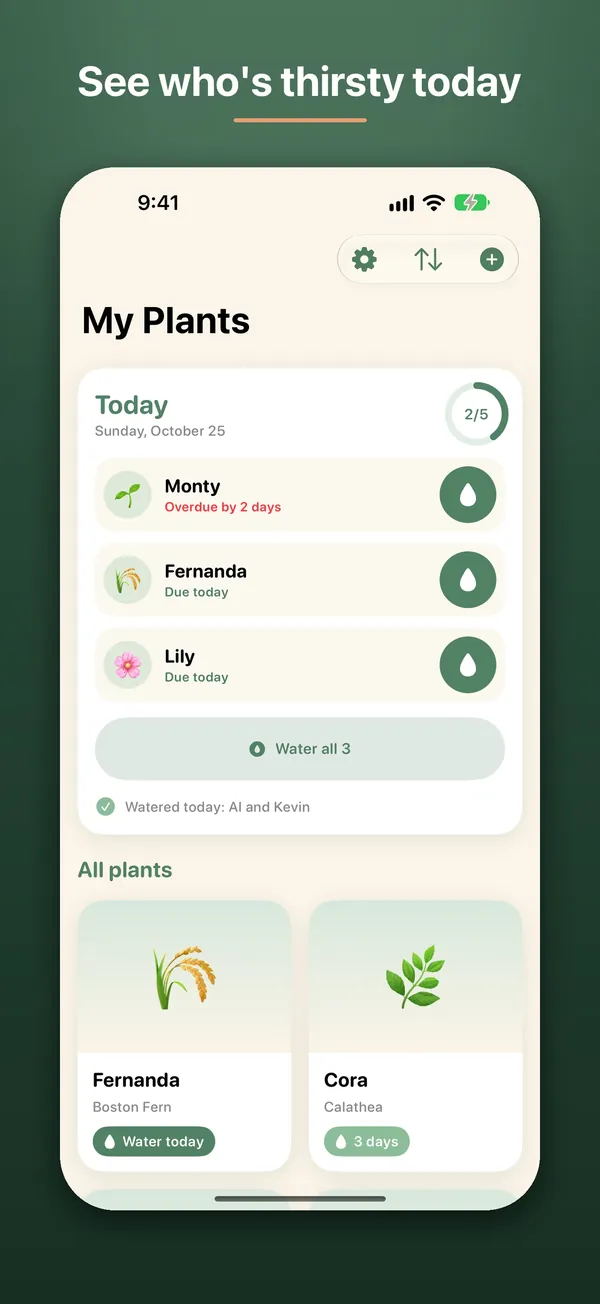
01Today
Water everything that's due with one tap
My Plants opens on Today, showing which plants are due or overdue. Water them one by one, or tap Water all and you're done for the day.
- Overdue plants clearly flagged
- See who's already been watered today
- Every plant in a grid below
-
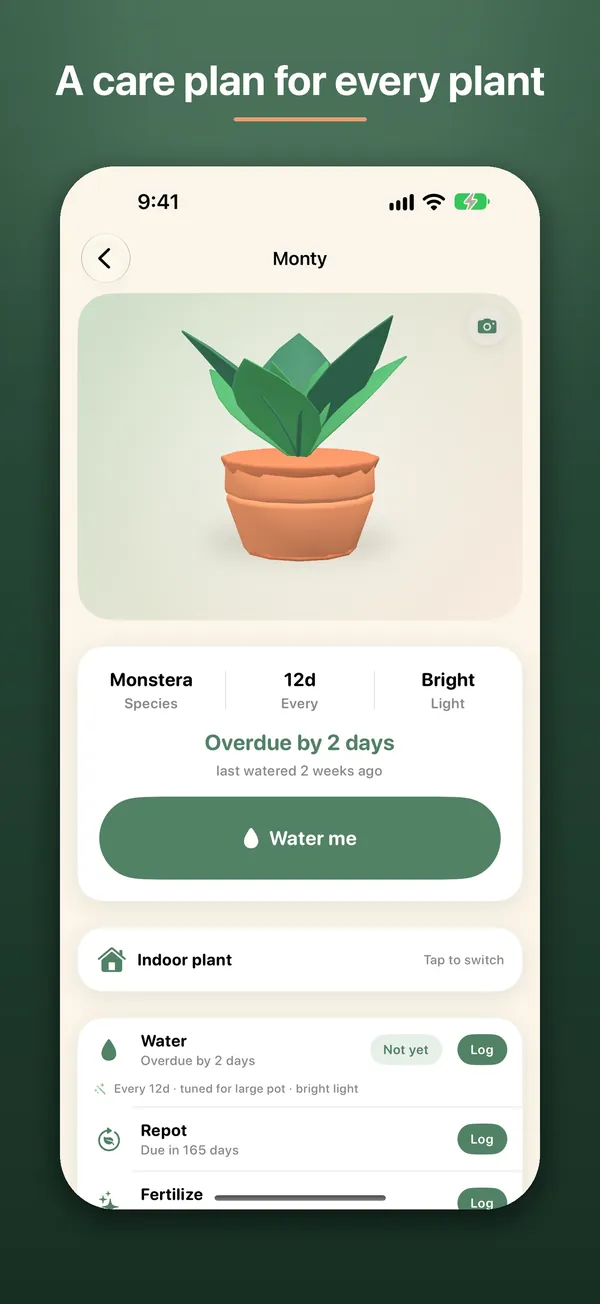
02Care plan
Each plant gets its own schedule
Every plant has its species, watering interval and light needs on one page. Suggested schedules cover more than 1,400 plants, and you can set your own for anything else.
- Schedules tuned for pot size and light
- Switch between indoor and outdoor
- Add your own photo
-
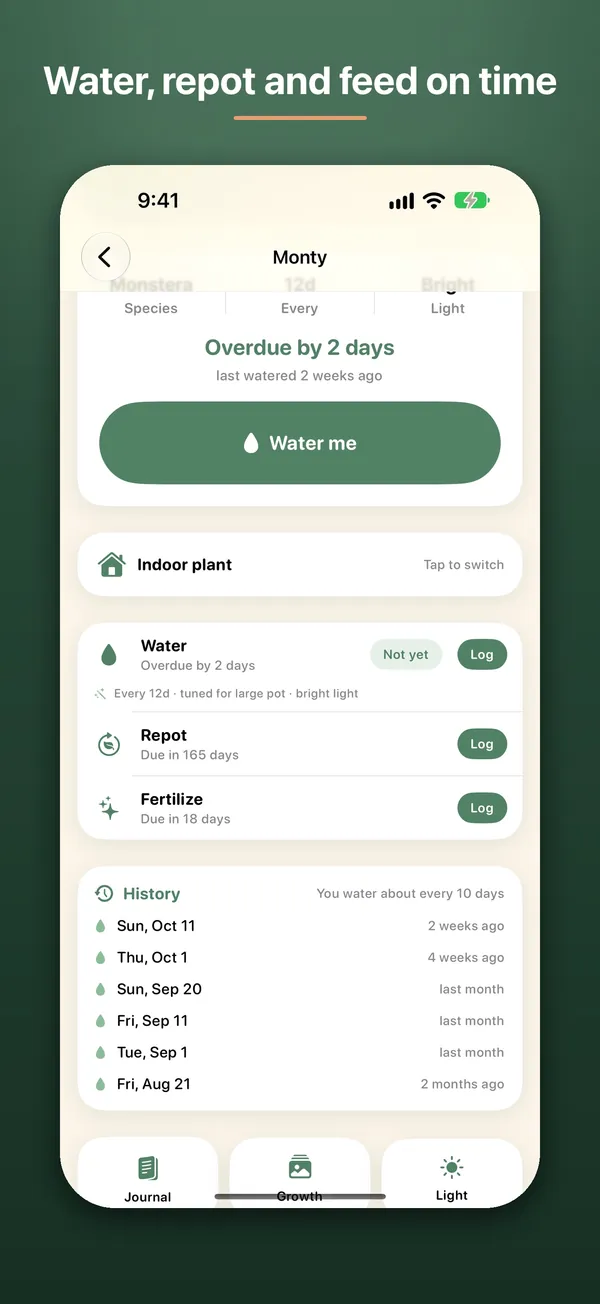
03History
Keep track of repotting and feeding too
Log watering, repotting and fertilizing from the same screen, and see when each one is due next. A history of past waterings shows your real rhythm.
- Shows how often you actually water
-
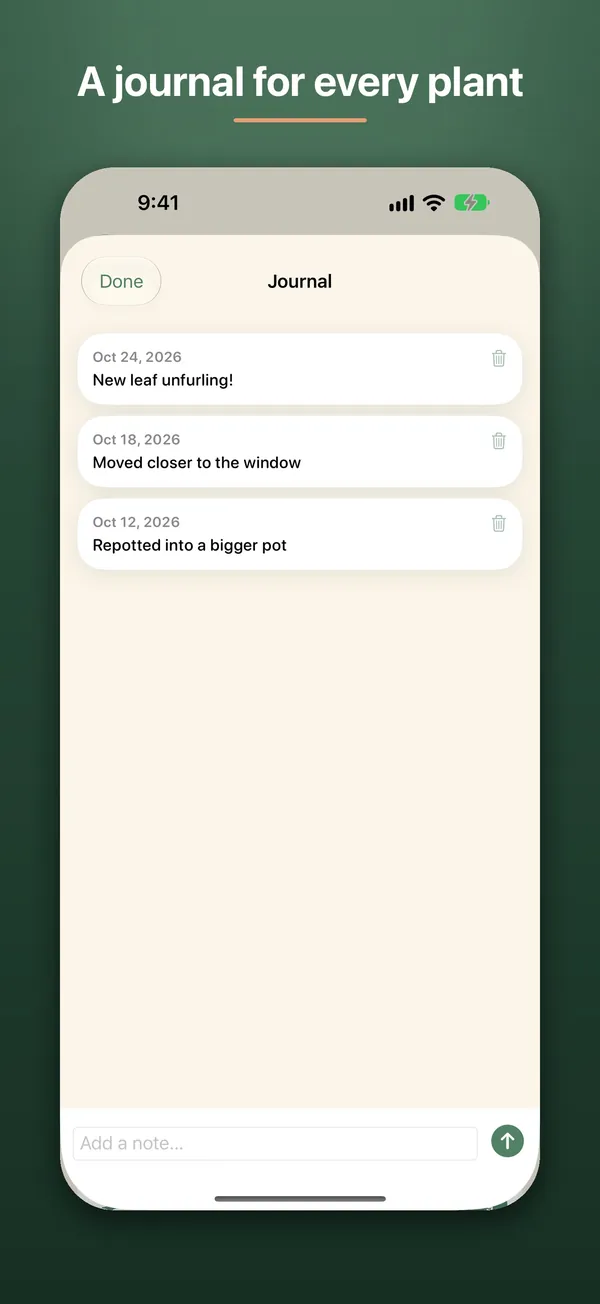
04Journal
Write down what changes, as it happens
Add a quick dated note when something changes, like a new leaf, a repot or a better spot by the window. Later you can look back at how each plant has grown.
-
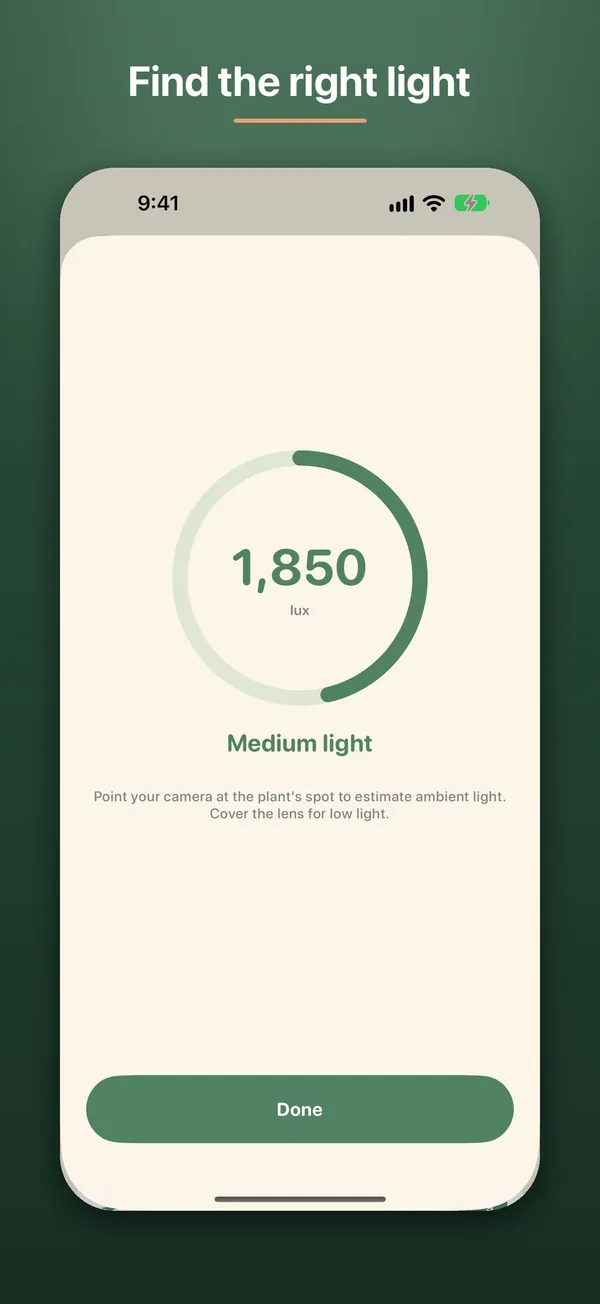
05Light meter
Measure the light where your plant sits
Point your camera at a plant's spot to estimate the ambient light in lux. It helps you choose a spot that suits the plant before you move it.
- Reading in lux
- Plain labels like medium light
-
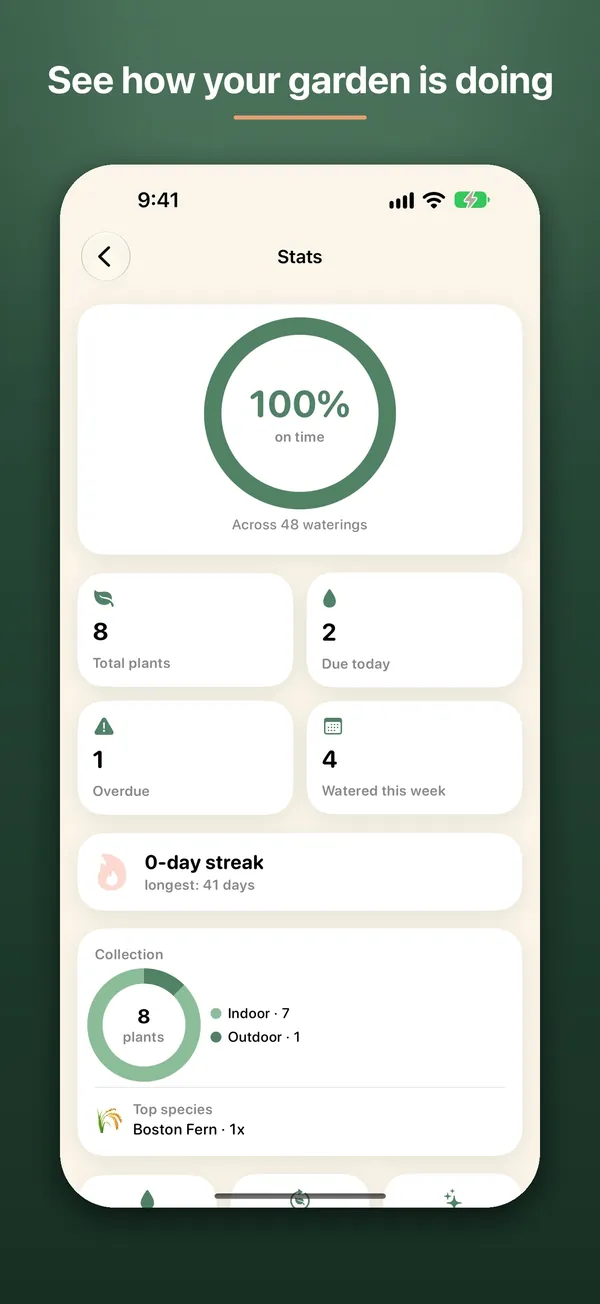
06Stats
See how well you're keeping up
Stats shows how often you water on time, what's due or overdue, and your watering streak. It also breaks your collection into indoor and outdoor plants.
- On-time rate across all waterings
- Current and longest streak
- Your most common species
How it works
Add your plants
Pick a species from more than 1,400, or identify one from a photo with Pl@ntNet.
Get gentle reminders
Each plant gets a suggested schedule, and Plant reminds you when it's time, without nagging.
Water and log it
Log a watering in the app, from the Coming Up widget or with the Water Plant control.
Get Plant
Stop guessing when to water: get a schedule for each plant, with no account needed.
Free on the App Store.
The details
What's inside, where it runs, and what happens to your data.
Features
- Suggested watering schedules for more than 1,400 plants, or your own species and care notes
- Today view: see who's thirsty and water them all with one tap
- Identify a plant from a photo, powered by Pl@ntNet
- Widgets, including watering a plant right from the Coming Up widget
- Siri and Spotlight know your plants by name, and a Water Plant control logs a watering from Control Center or the Lock Screen
- Made for iPhone Duo: Today on the cover, your list beside the plant when it's open
- Gentle reminders, not nagging notifications
- Available in 16 languages
Works on
- iPhone
- iPad
- iPhone Duo
- Mac
- Apple Vision
Privacy
No account required. Your plants and photos stay on your device unless you turn on iCloud Backup. A photo you choose to identify is sent to Pl@ntNet.
Questions
Something else? Ask Daniel directly. Every note gets read.
Do I need an account to use Plant?
No. Plant works without an account, and your plants stay on your device unless you turn on iCloud Backup.
Can I set different schedules per plant?
Yes, each plant gets its own watering schedule so different species can be reminded on their own timeline.
Does Plant have widgets?
Yes, home-screen widgets let you check which plants need water without opening the app, and the Coming Up widget can log a watering.
Can Plant tell me what plant I have?
Yes. Take or choose a photo and Plant identifies it with Pl@ntNet. Only the photo you choose to identify is sent to Pl@ntNet.


Plant
Plant reminder + widgets.