
Veg
Scan ingredients and menus
Scan a barcode, a label or a menu and know in seconds whether it fits your diet.
Free on the App Store
- Status
- Live
- Version
- 1.3
- Category
- Utilities
- Works on
- iPhone, iPad, Mac, Apple Vision
Why you'll like it
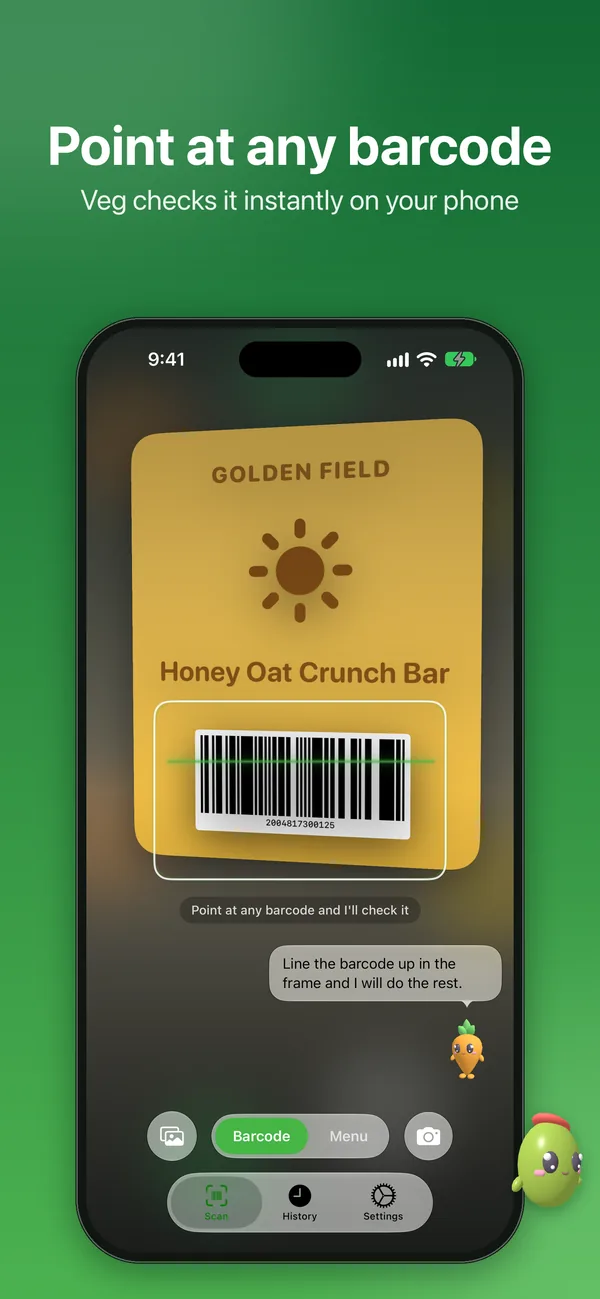
Barcode or label
Scan a product barcode for an instant verdict, or snap the ingredient list and Veg classifies every line.
Scan a menu
Check a restaurant menu for vegan-friendly options before you order.
No subscription
Scan as much as you like. There's no paywall to get a straight answer.
From scan to answer in seconds
Point your phone at a barcode, a label or a menu, and Veg tells you whether it fits the way you eat.
-
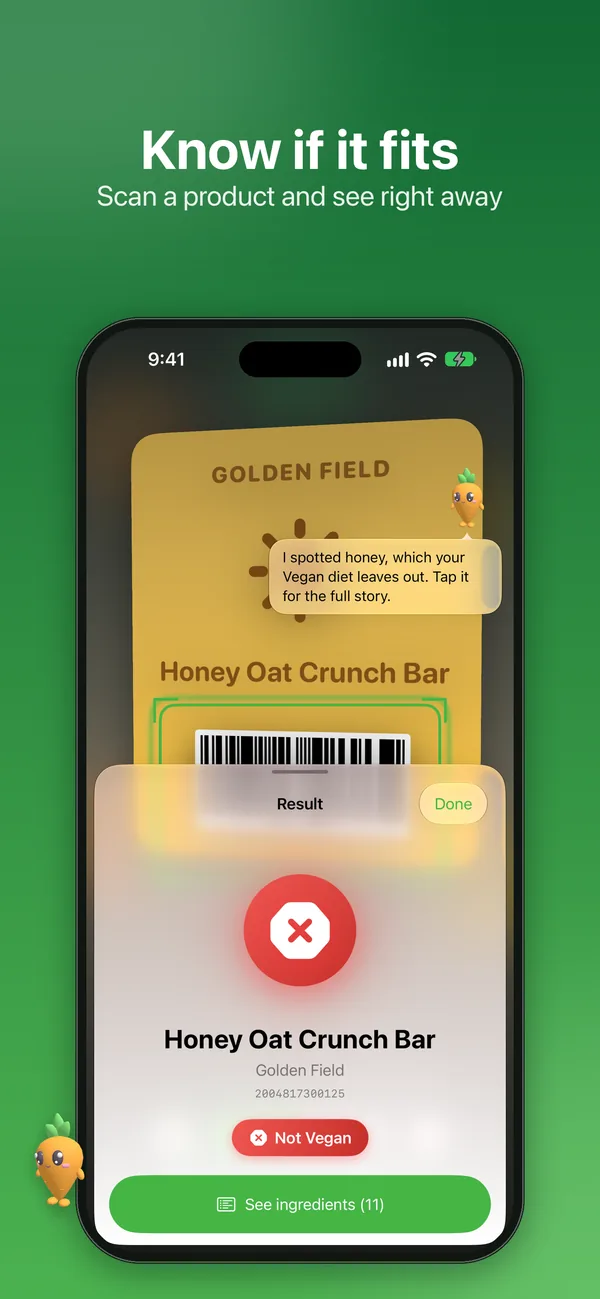
01Barcode
A clear verdict the moment you scan
Scan a product barcode and Veg checks it against a bundled product database on your phone. You get a plain answer, plus the ingredient that tipped it.
- Works offline, no account needed
- Tap through to the full ingredient list
-
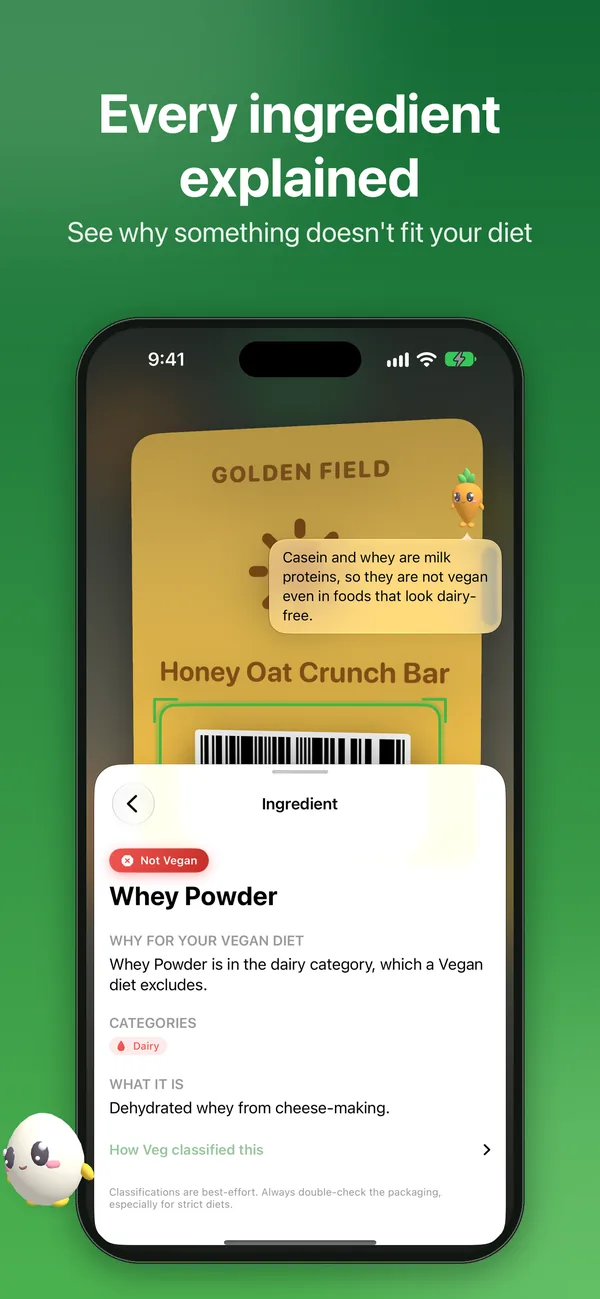
02Ingredients
See exactly why something doesn't fit
Tap any ingredient to see why it matters for your diet, which category it falls in and what it actually is. No more guessing at long chemical names.
- Reason tied to your chosen diet
- A short note on what it is
-
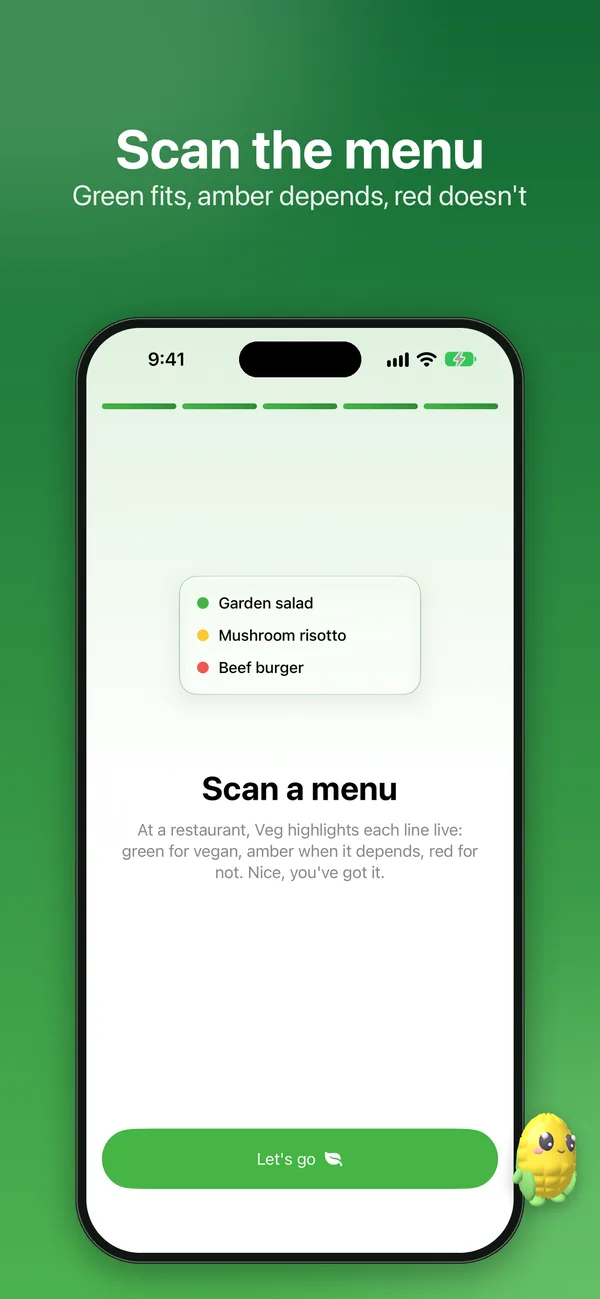
03Menus
Check the menu before you order
Point Veg at a restaurant menu and it highlights each dish live. Green fits, amber depends, red doesn't, so you know what to ask the kitchen about.
- Color-coded line by line
- Amber means check, not guess
-
04History
Every past scan, easy to find again
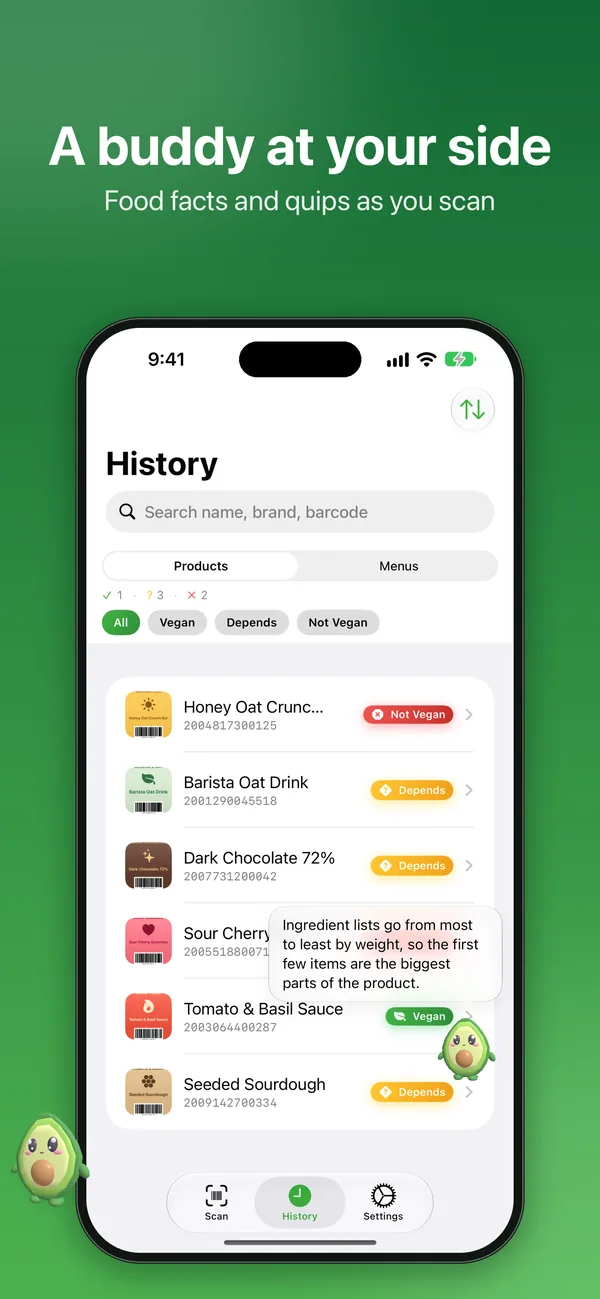
Your products and menus are saved in History, so you can search by name, brand or barcode and filter by result. Your buddy chips in with food facts along the way.
- Separate tabs for products and menus
- Filter by Vegan, Depends or Not Vegan
-
05Your diet
Pick your diet once, check everything against it
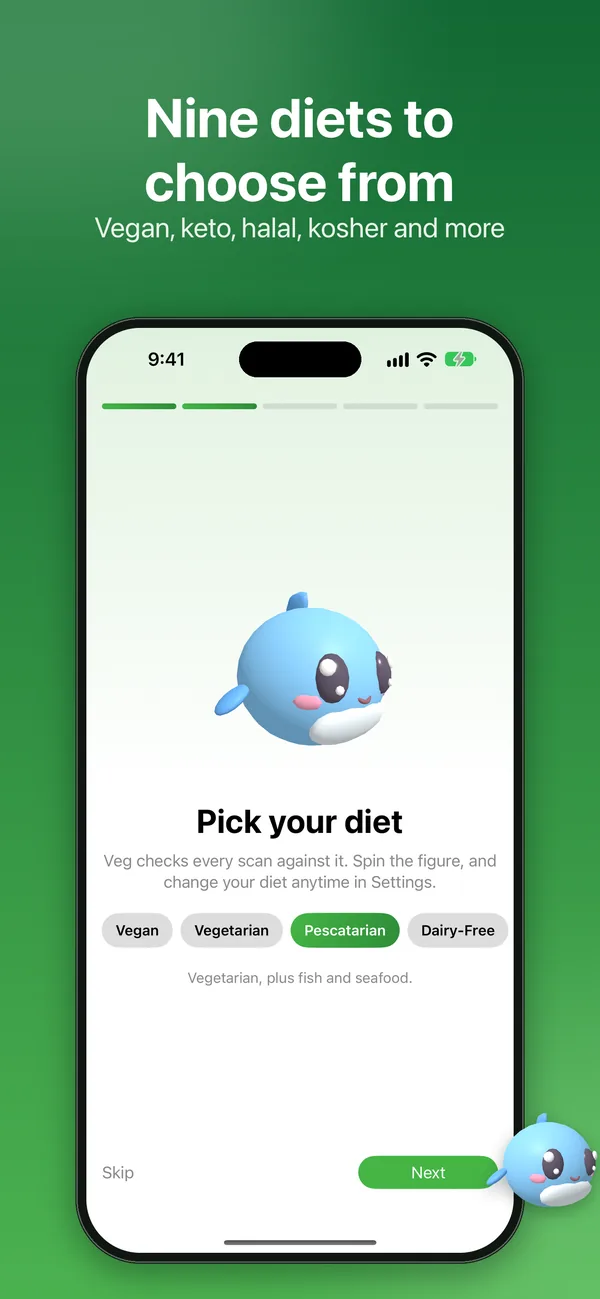
Choose from nine diets when you start, from vegan to halal and kosher. Veg checks every scan against your pick, and you can switch anytime in Settings.
- Vegan, vegetarian, pescatarian, dairy-free
- Gluten-free, keto, paleo, halal, kosher
-
06Characters
A friendly character for every diet
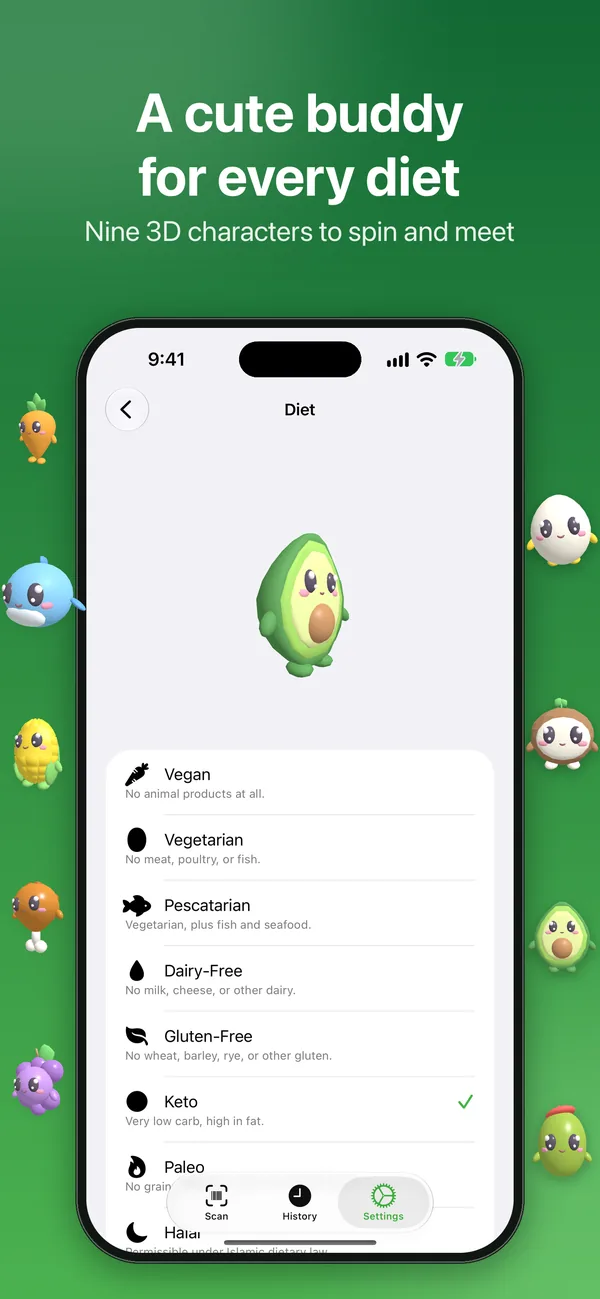
Each diet comes with its own big-eyed 3D food character you can spin and meet. Your buddy shares quick tips, and you can set it to quiet or off.
- Nine redesigned characters in Veg 1.3
- Drag the buddy anywhere on screen
How it works
Pick your diet
Choose one of nine diets when you first open Veg. You can change it anytime in Settings.
Scan your food
Point the camera at a product barcode, an ingredient label or a restaurant menu.
Read the verdict
See green, amber or red, then tap in to learn why. When it says Depends, double-check the packaging.
Get Veg
Scan barcodes, labels and menus with no account and no subscription, right on your phone.
Free on the App Store.
The details
What's inside, where it runs, and what happens to your data.
Features
- Scan a product barcode against a bundled product database
- Snap an ingredient label and Veg reads and classifies every line
- Scan restaurant menus: green when a dish fits, amber when it depends, red when it doesn't
- Nine diets: vegan, vegetarian, pescatarian, dairy-free, gluten-free, keto, paleo, halal and kosher
- Ask Siri about an ingredient, and find past scans in Spotlight
- No account and no subscription required to scan
- Nine redesigned food characters, big-eyed and full of bounce
- A buddy that keeps you company with quick tips, diet facts and nutrition facts. Tap it for more, drag it anywhere, or set it to quiet or off in Settings
- Made for iPhone Duo: two-pane layouts when open, a tidy single column on the cover screen
- Available in 16 languages
Works on
- iPhone
- iPad
- Mac
- Apple Vision
Privacy
No account and no tracking. Scanning and text recognition happen on your device, and Veg works offline. Its bundled product database is derived from the community-maintained Open Food Facts database, used under the Open Database License (ODbL).
Questions
Something else? Ask Daniel directly. Every note gets read.
Where does Veg's ingredient data come from?
Barcode scans use a product database bundled with the app, derived from Open Food Facts, a free, community-maintained food database. Labels and menus are checked against Veg's own curated list of ingredients and dishes. Everything runs on your device.
Do I need an account to scan?
No account is required to scan a label or a menu.
Does Veg cost anything to use?
No, scanning doesn't require a subscription.
Is Veg always right?
Veg is a guide, not a substitute for reading the label or asking the kitchen. When an ingredient could be plant- or animal-derived it says "Depends" instead of guessing, so double-check the packaging for strict diets and allergies.
What's new in Veg 1.3?
Veg 1.3 brings nine redesigned food characters and a buddy that shares tips plus diet and nutrition facts around the app. It is built for iPhone Duo and now speaks 16 languages. The buddy is built into the app and works offline, and you can set it to quiet or off in Settings.


Veg
Scan ingredients and menus.