FlowBuilder
Yoga sequencer + playback
Build your own yoga sequences and play them back with a timer. Practice on your own terms.
Free on the App Store 4.9 · 9 ratingsAlso on Google Play
- Status
- Live
- Version
- 1.6.4 on the App Store, 1.6.6 on Android
- Category
- Wellness
- Works on
- iPhone, iPad, iPhone Duo, Mac, Apple Vision, Apple TV, Apple Watch, Android, Web
Why you'll like it
Build your own flow
Chain poses in any order and set a hold time for each one.
Hands-free playback
A timer walks you through the sequence so you can practice without checking your phone.
Practice anywhere
iPhone, iPad, Mac, Apple Vision, Apple Watch, Apple TV, Android or the flowbuilder.yoga web app.
Your practice, built and timed your way
Here is what you can do once you open FlowBuilder.
-
01Build
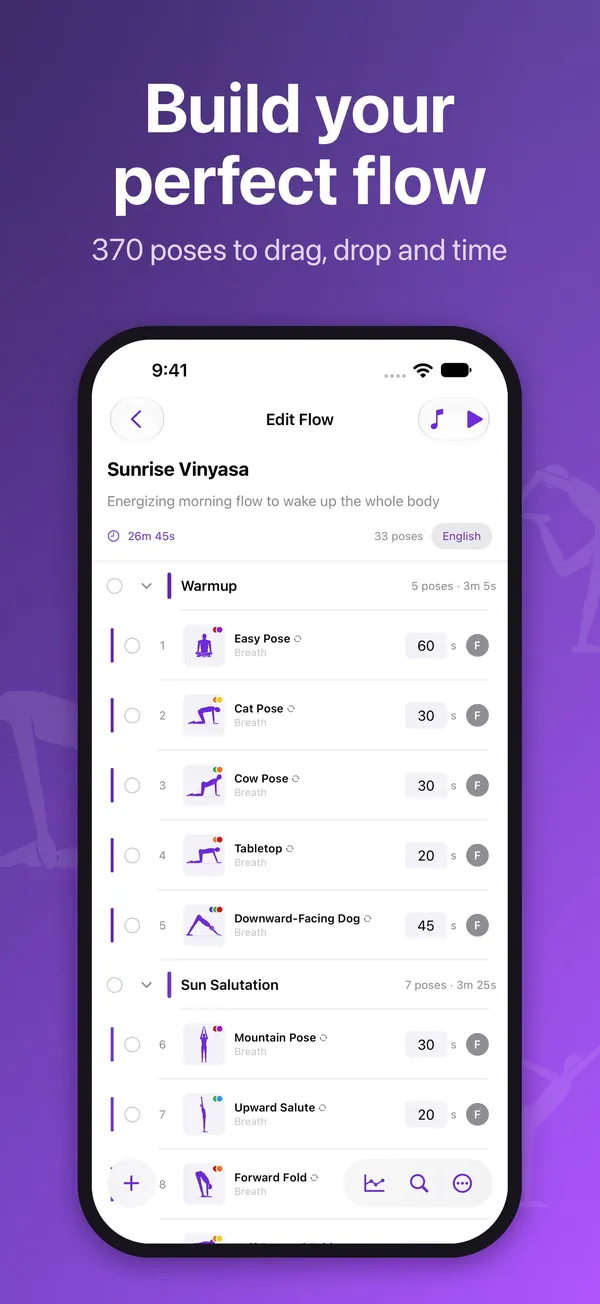
Put poses in the order you want
Pick from 370 poses, group them into sections like Warmup and Sun Salutation, and set a hold time for each one. FlowBuilder adds up the total so you know how long your session runs.
- 370 poses to drag, drop and time
- Name your own sections
- Total time updates as you edit
-
02Play
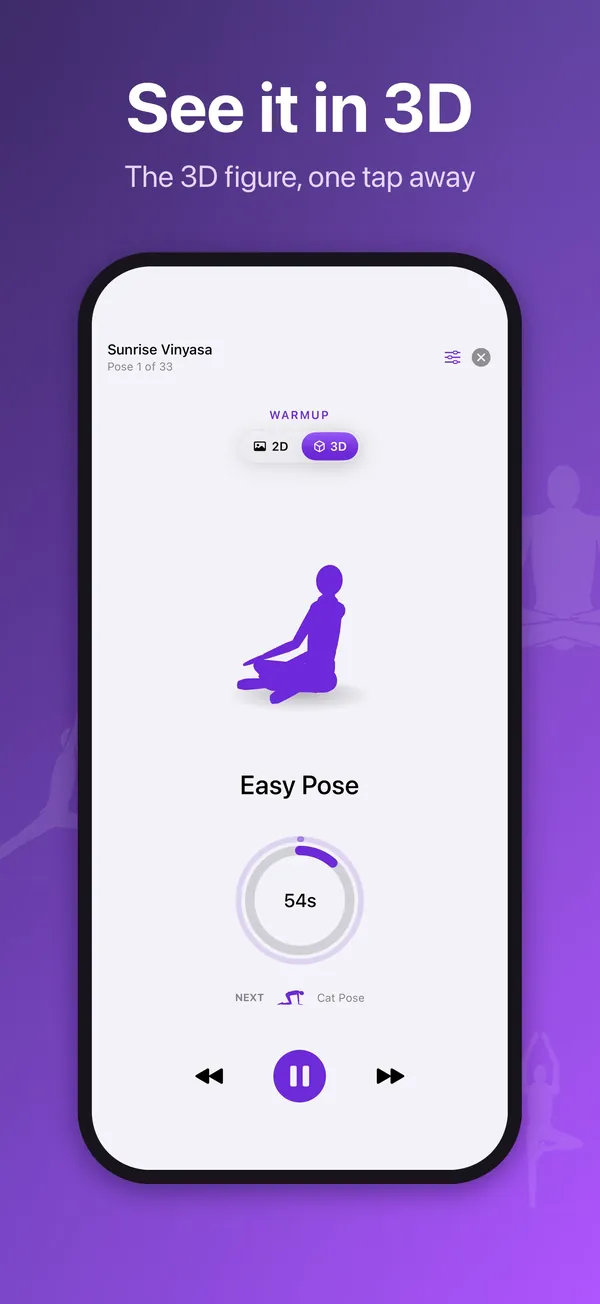
Follow along without touching your phone
Press play and a timer counts down each pose, then moves to the next. Switch to the 3D figure to see the shape of a pose before you settle into it.
- Countdown ring for every pose
- See which pose comes next
- Flip between 2D and 3D
-
03Voice
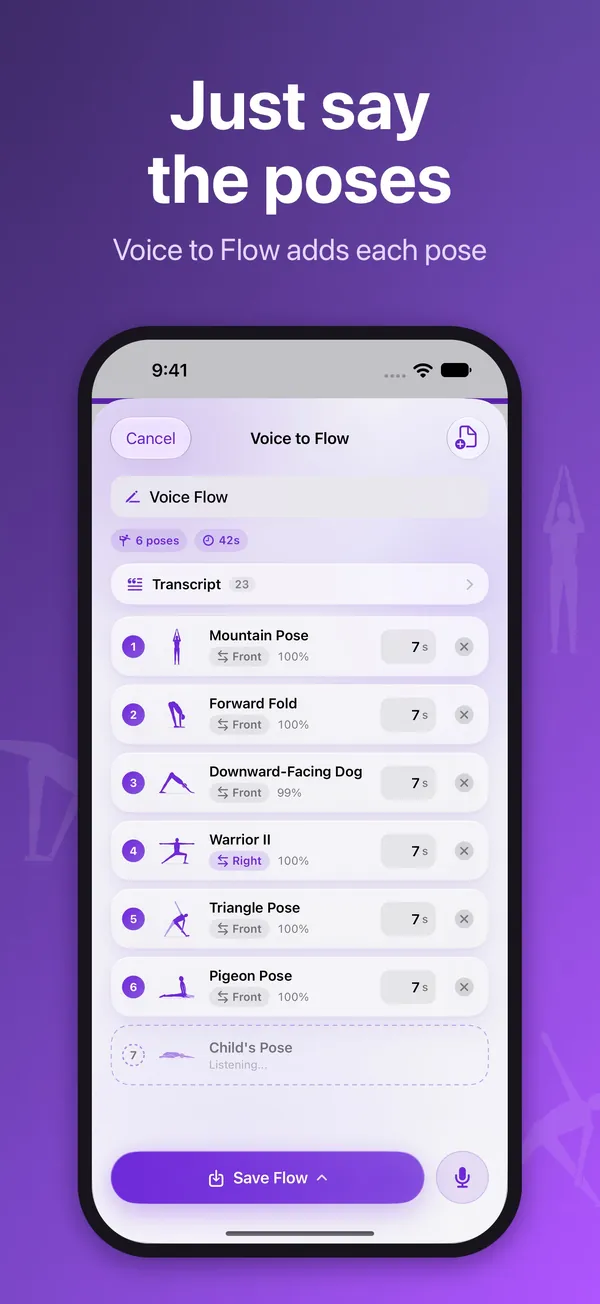
Speak a sequence and it becomes a flow
Say the poses out loud and Voice to Flow adds each one to a list as you go. Adjust the times, then save it like any flow you built by hand.
- Each pose appears as you say it
- Edit hold times before saving
-
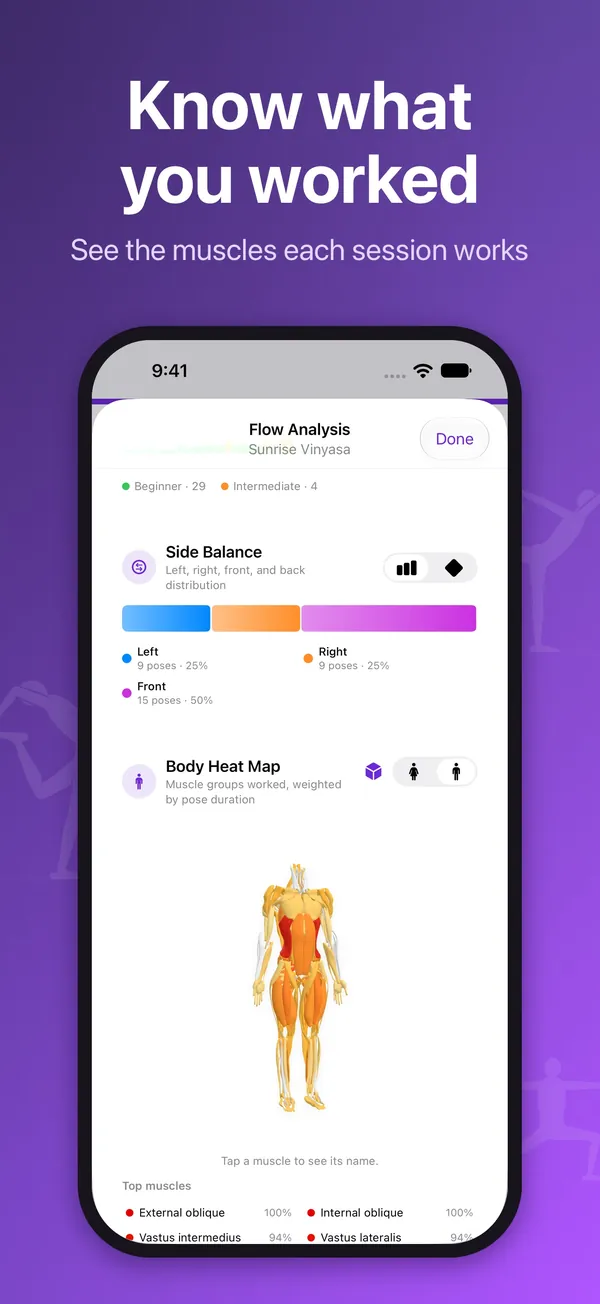
04Analysis
See which muscles a flow works
Flow Analysis shows how your poses balance left, right and front, and a body heat map highlights the muscle groups worked, weighted by how long you hold each pose.
- Side balance across the flow
- Body heat map of muscles worked
- Tap a muscle to see its name
-
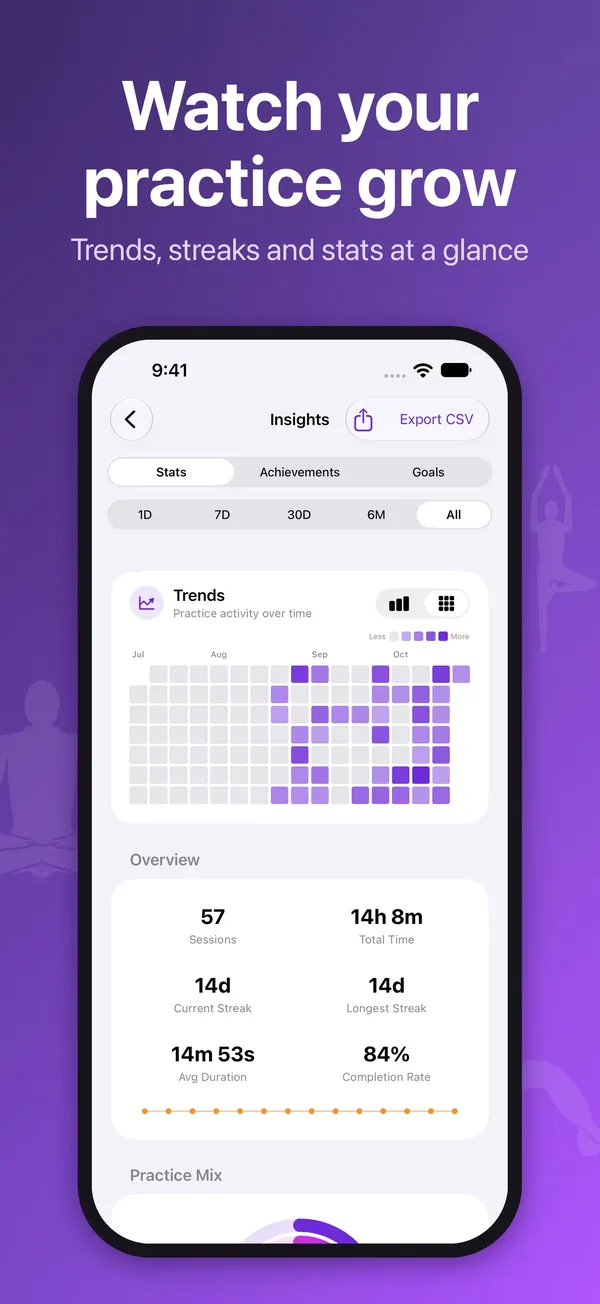
05Insights
Track sessions, streaks and time on the mat
Insights shows your practice over days, weeks and months, so you can see your habit take shape. Export the numbers as a CSV whenever you want them.
- Activity trends from one day to all time
- Current and longest streak
- Export to CSV
-
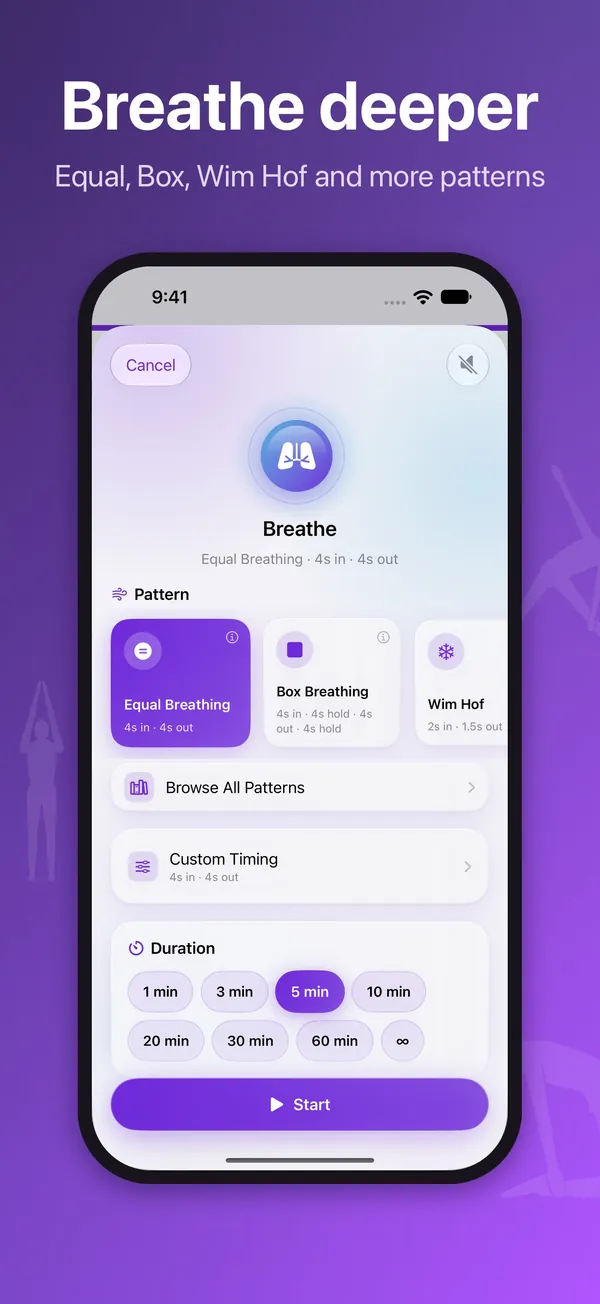
06Breathwork
Guided breathing in a few taps
Choose a pattern like Equal Breathing, Box Breathing or Wim Hof, or set your own timing. Pick a length and start, from a one-minute reset to an open-ended session.
- Browse all patterns or set custom timing
- Sessions from 1 to 60 minutes
- Open-ended option for no time limit
How it works
Start a flow
Build one pose by pose, speak it with Voice to Flow, or pick from 117 ready-made flows.
Set your timing
Give each pose a hold time and group poses into sections, so the session runs exactly as long as you want.
Press play and practice
The timer walks you through each pose hands-free, then Insights tracks your sessions and streaks.
Get FlowBuilder
Build your own yoga flow tonight and let the timer guide you through it, no instructor needed.
Free on the App Store.
The details
What's inside, where it runs, and what happens to your data.
Features
- Build custom yoga sequences pose by pose
- Timed, hands-free playback that walks you through each pose
- Save and reuse as many sequences as you like, or start from 117 ready-made flows in the Flow Library
- Text, Voice, Video and Pose to Flow: turn a written sequence, your voice or a video into a flow
- Breathwork, a meditation timer and a 3D figure to see any pose from any angle
- Export a flow as a PDF, and record your own voice cues with My Voice
- Apple Watch: practice, breathe and meditate on your wrist
- On iPhone Duo, Pose to Flow keeps the camera and the controls on their own halves
- Available on iPhone, iPad, Mac, Apple Vision, Apple TV, Apple Watch, Android and the web, in 17 languages
- No instructor or subscription required to build or play a flow
Works on
- iPhone
- iPad
- iPhone Duo
- Mac
- Apple Vision
- Apple TV
- Apple Watch
- Android
- Web
Privacy
Your sequences stay on your device unless you choose to sync. No ads and no tracking. Anonymous usage stats are optional and off by default, and contain no identifier.
Questions
Something else? Ask Daniel directly. Every note gets read.
Do I need yoga experience to use FlowBuilder?
No. FlowBuilder just sequences and times poses you choose. It doesn't teach form, so it works well alongside any level of experience.
Does FlowBuilder work without the app?
Yes. The same sequencer is available as a web app at flowbuilder.yoga, in addition to iPhone, iPad, Mac, Apple Vision, Apple TV, Apple Watch and the Android app on Google Play.
What's new in FlowBuilder 1.6.4?
On the App Store, the Flow Library grows to 117 flows. You can export a flow as a PDF, record your own voice cues with My Voice, and check in on your mood before and after a flow, saved to Apple Health. Heart rate music works with Apple Watch, and Generate a Flow adds Chair only, Wall support, No floor work and No inversions. The Android app is at 1.6.6, with a cleaner look and one practice screen with End and Pause in the same place in every player.
Do my sequences sync between devices?
Your sequences stay on your device unless you choose to sync. See the privacy section above.


FlowBuilder
Yoga sequencer + playback.