Since
Count the time since you quit
A calm counter for the time since you quit something. No shame, just the number.
Free on the App Store
- Status
- Live
- Version
- 1.1
- Category
- Wellness
- Works on
- iPhone, iPad, iPhone Duo
Why you'll like it
A clean, live counter
Watch the time since you quit tick by, down to the minute.
Private by default
Nothing to share unless you choose to. No account, no feed.
Widgets keep it visible
Keep the count on your home screen without opening the app.
A calm way to count your progress
Here's how Since keeps the time you've earned in view, even when a day doesn't go to plan.
-
01Clock
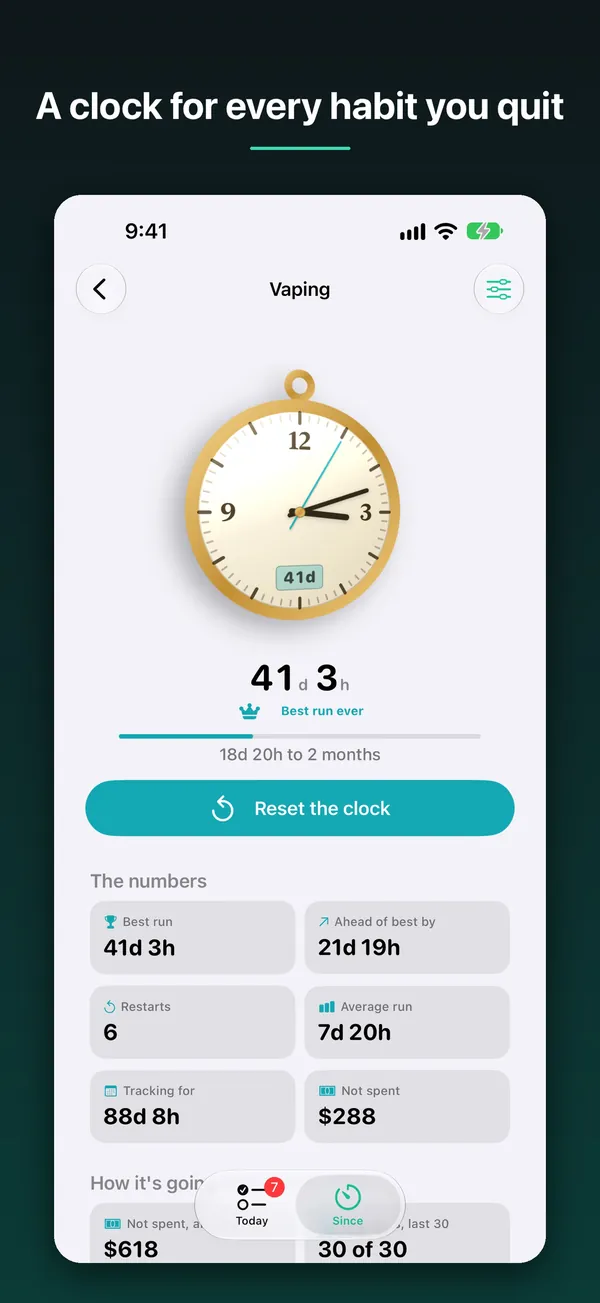
Watch the time since you quit add up
Each thing you quit gets its own clock, counting live. Below it, the numbers show your best run, average run, restarts and how much money you haven't spent.
- Best run and average run
- Money not spent
- Total time tracked
-
02Overview
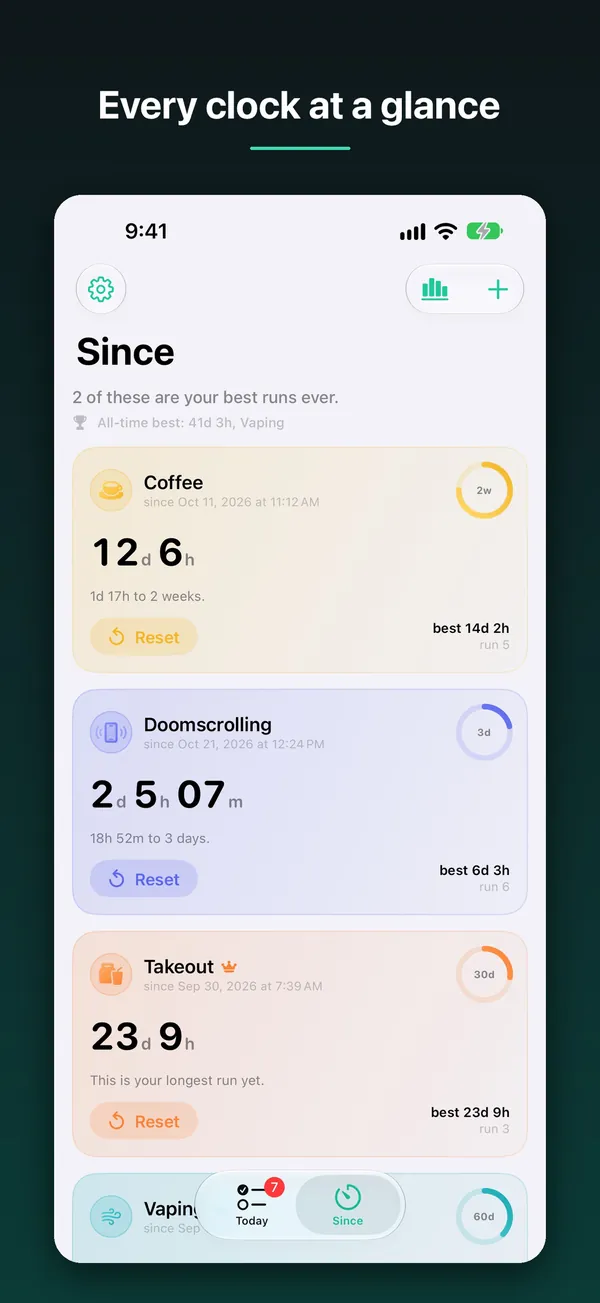
Track more than one thing at once
The Since tab lists every clock with its current run next to your best. You can see at a glance which ones are at their longest yet.
- Current run next to your best
- Reset any clock from the list
-
03Today
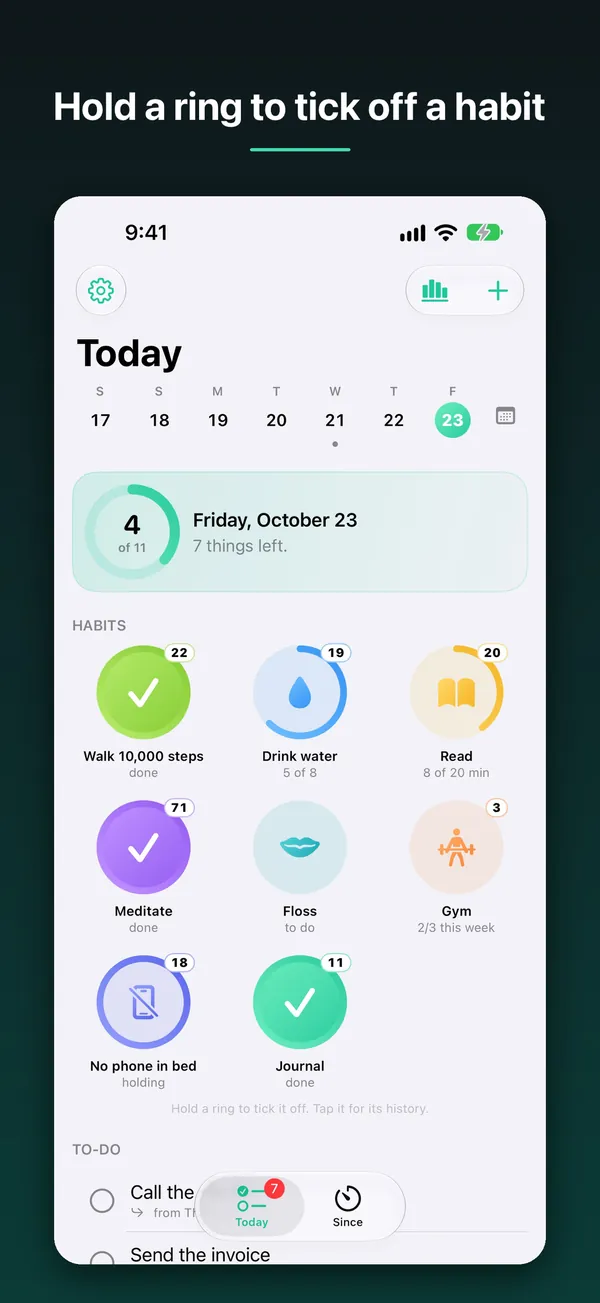
Build new habits alongside the ones you quit
The Today tab shows a wall of rings for the habits you're building, with your to-dos underneath. Hold a ring to tick it off, or tap it to see its history.
- Track counts, minutes or weekly goals
- To-dos under your habits
-
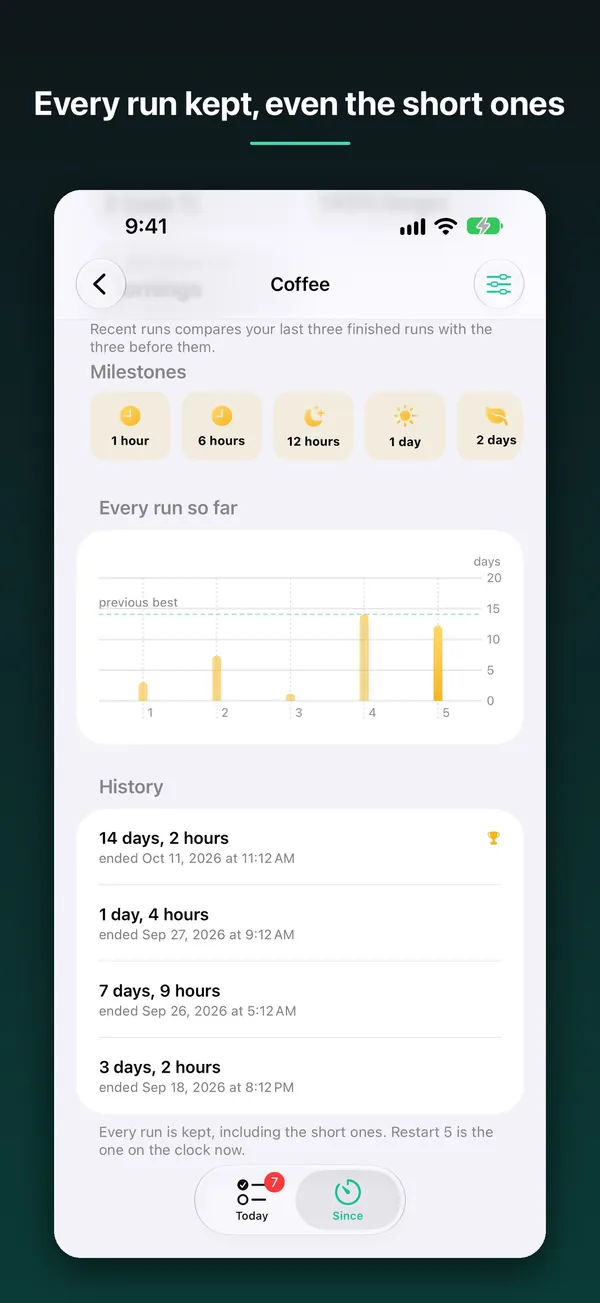
04History
Your history stays, even after a reset
Resetting a clock never erases what came before. A chart compares every run so far with your previous best, and milestones mark each step along the way.
- Milestones from 1 hour upward
- A chart of every run
-
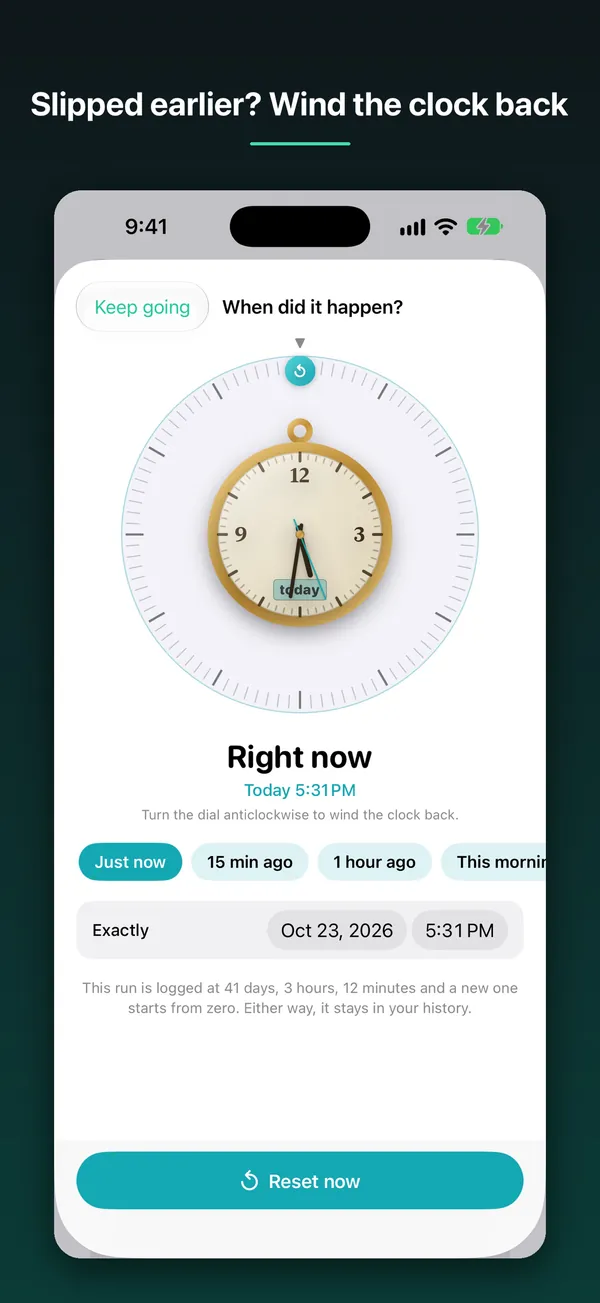
05Reset
Log a slip at the time it really happened
If you slipped earlier, turn the dial back or pick a time like 15 minutes ago. The run you finished is saved to your history, and a new one starts.
- Quick picks like 1 hour ago
- Set an exact date and time
-
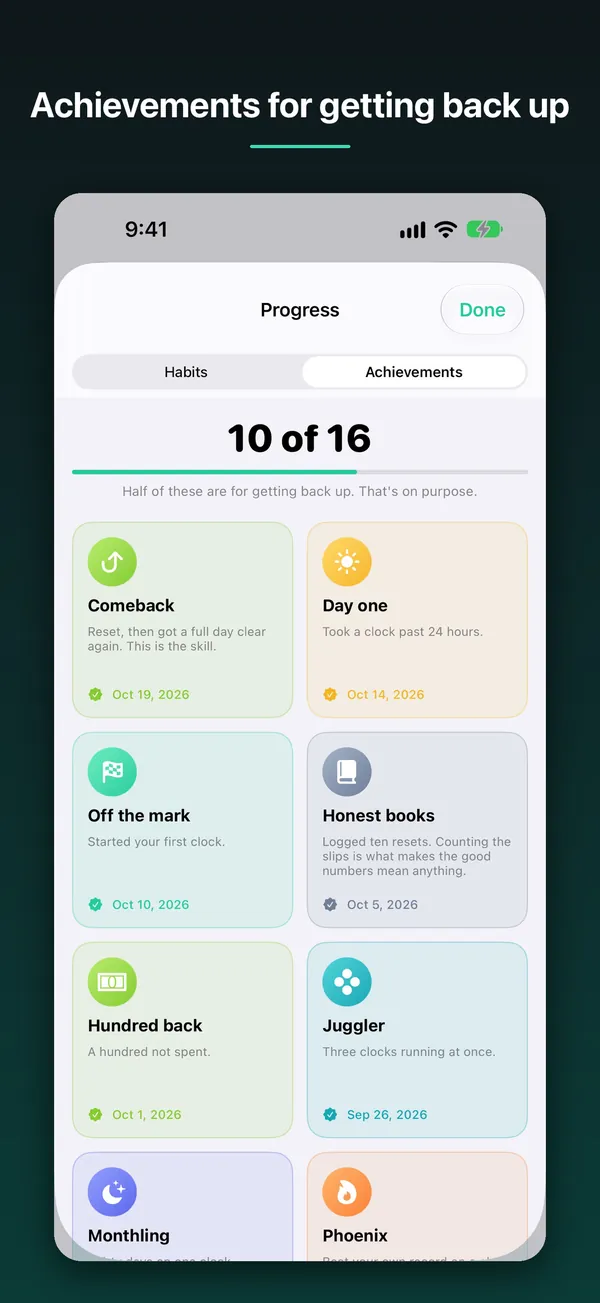
06Achievements
Rewards for coming back, not just for streaks
Achievements celebrate starting, keeping going and returning after a reset. Half of them are for getting back up, because counting the slips is part of the progress.
- 16 achievements to unlock
How it works
Start a clock
Add something you've quit and Since starts counting the time since, right away.
Check in when you like
Glance at the count in the app or on a home-screen widget. No account, no feed.
Keep going after a slip
Reset at the real time, keep every run in your history and pick up again.
Get Since
Count the time since you quit, privately and without judgment, with no account needed.
Free on the App Store.
The details
What's inside, where it runs, and what happens to your data.
Features
- A clean, live counter for time since you quit
- Track more than one thing you've given up
- Private by default: nothing to share unless you choose to
- Today: a wall of rings for the habits you are building, with to-dos underneath
- Progress and achievements for clocks and habits in one place
- Speaks 45 languages, with right-to-left layouts for Arabic, Hebrew and Urdu
- Widgets to keep the count visible without opening the app
- Made for iPhone Duo: your list sits beside the clock when it's open, and half open it becomes a desk clock
- No account required
Works on
- iPhone
- iPad
- iPhone Duo
Privacy
No account required. Your data stays on your device unless you switch on iCloud backup, which keeps a copy in your own iCloud account.
Questions
Something else? Ask Daniel directly. Every note gets read.
Where can I get Since?
Since is free on the App Store for iPhone and iPad, and is made for iPhone Duo.
Will Since need an account?
No. Since is built to work without an account, and your count stays on your device.
What can I track with Since?
Anything you've quit. Since counts the time since, calmly, without judgment, and can track more than one thing at once. Its Today tab also keeps a daily list of the habits you are building.


Since
Free on the App Store.